

Price Lists Overview in BoxNCase Partners Admin
The Price Lists system in BoxNCase Partners enables you to create sophisticated pricing strategies with special pricing for customer groups, currency-specific pricing, and scheduled price changes. Override default prices to support diverse business models and customer segments.Price List Capabilities
Customer Group Pricing
Create targeted pricing strategies for different customer segments:- B2B vs B2C pricing: Support both business and consumer customers in the same store
- VIP customer pricing: Offer special rates to premium customers
- Wholesale pricing: Volume-based pricing for bulk buyers
- Regional pricing: Location-specific pricing strategies
Pricing Types
BoxNCase Partners supports two primary pricing approaches:Sale Pricing
- Temporary promotions: Limited-time sale pricing for marketing campaigns
- Seasonal discounts: Holiday and seasonal price adjustments
- Clearance pricing: Reduced prices for inventory management
- Flash sales: Short-term promotional pricing
Override Pricing
- Permanent pricing adjustments: Long-term price changes for specific customer groups
- Tier-based pricing: Different price levels based on customer status
- Contract pricing: Custom pricing for specific customer agreements
- Market-specific pricing: Regional or country-specific price overrides
Advanced Features
Currency-Specific Pricing
- Multi-currency support: Set prices in different currencies for international customers
- Exchange rate independence: Manual control over pricing regardless of exchange rates
- Regional pricing: Currency-specific prices for different markets
- Local market optimization: Pricing adapted to local economic conditions
Scheduled Price Changes
- Start dates: Activate pricing at specific future dates
- Expiry dates: Automatically end pricing on specified dates
- Campaign coordination: Align pricing with marketing campaigns
- Automatic transitions: Seamless price changes without manual intervention
Business Applications
B2B Commerce
- Volume discounts: Lower per-unit pricing for bulk purchases
- Customer-specific contracts: Negotiated pricing for enterprise customers
- Credit terms: Special pricing for customers with credit agreements
- Industry-specific pricing: Tailored pricing for different business sectors
Multi-Market Strategy
- Geographic pricing: Different pricing for various regions or countries
- Competitive positioning: Pricing adjusted for local market conditions
- Currency optimization: Pricing that accounts for local purchasing power
- Regulatory compliance: Pricing that meets local business requirements
Customer Segmentation
- Loyalty pricing: Reward long-term customers with special pricing
- Membership tiers: Progressive pricing based on customer status
- Purchase history: Pricing based on customer lifetime value
- Referral benefits: Special pricing for customers who refer others
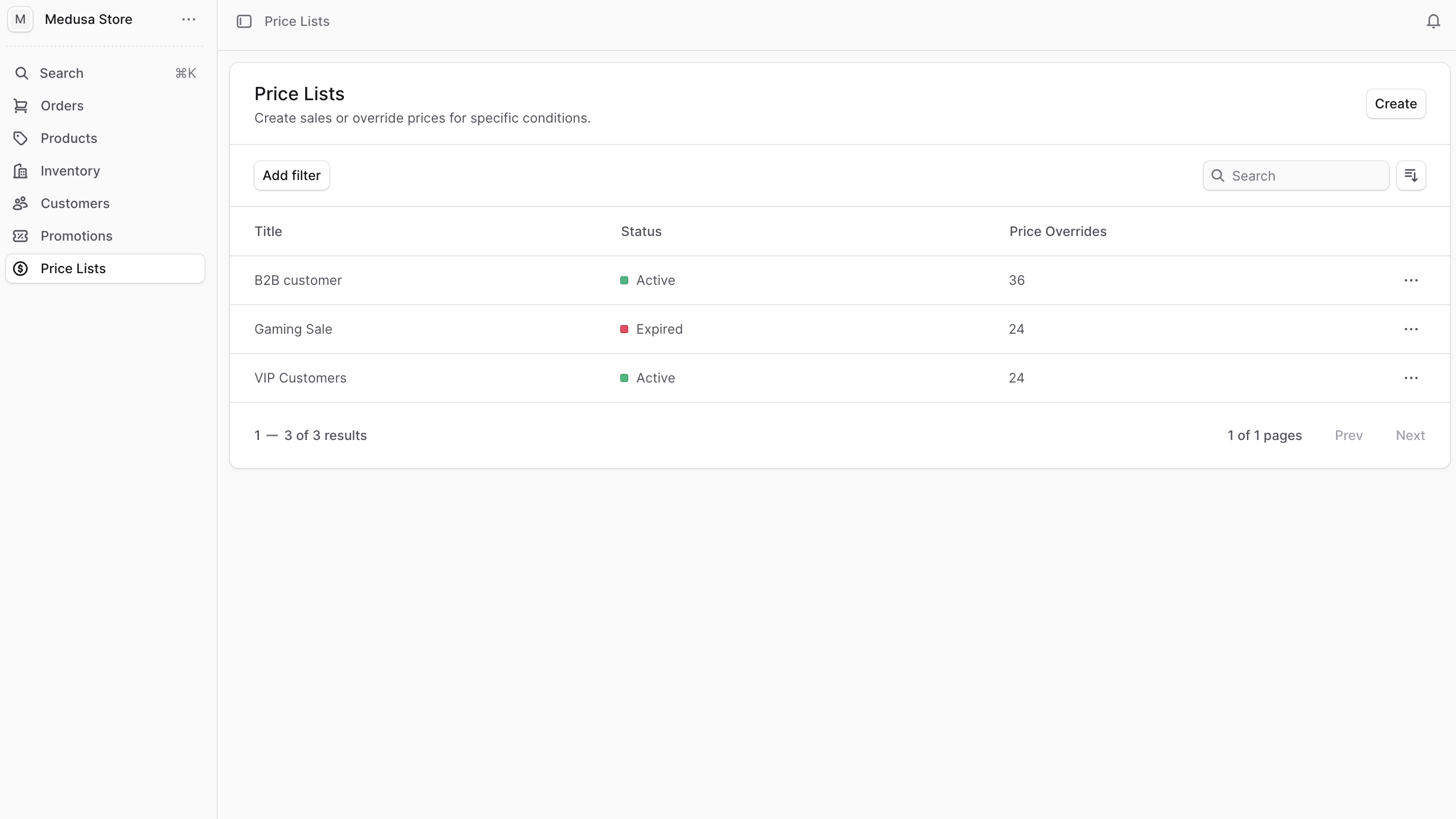
Quick Actions
Price List Management
- Create Price List - Define list details, select customer groups, add product prices, and set validity dates
- Manage Price Lists - Edit prices and conditions, add/remove products, duplicate lists, and track usage
Getting Started
- Define Customer Groups: Set up customer segments for targeted pricing
- Choose Pricing Strategy: Decide between sale pricing or permanent overrides
- Select Products: Choose which products to include in the price list
- Set Prices: Configure pricing for different currencies and regions
- Schedule Activation: Set start and end dates for price list validity
Price List Examples
B2B Wholesale Pricing
- 15% discount for wholesale customers
- Minimum order quantities required
- Volume-based tier pricing
- Net payment terms
VIP Customer Benefits
- 10% discount on all products
- Early access to new products
- Free shipping included
- Exclusive product access
Regional Market Pricing
- Currency-optimized pricing
- Local competition considerations
- Regulatory compliance pricing
- Market penetration strategies