

Settings Overview in BoxNCase Admin
BoxNCase Settings serve as the central hub for managing all your store configurations, from basic store information to advanced developer settings. Access comprehensive tools to customize your e-commerce operations and maintain full control over your BoxNCase store.Accessing Settings
Navigate to Settings by clicking the “Settings” item at the bottom of the sidebar. This opens a dedicated settings panel with specialized navigation to manage all aspects of your store configuration. Return to the main dashboard by clicking the ↩ icon at the top of the settings sidebar.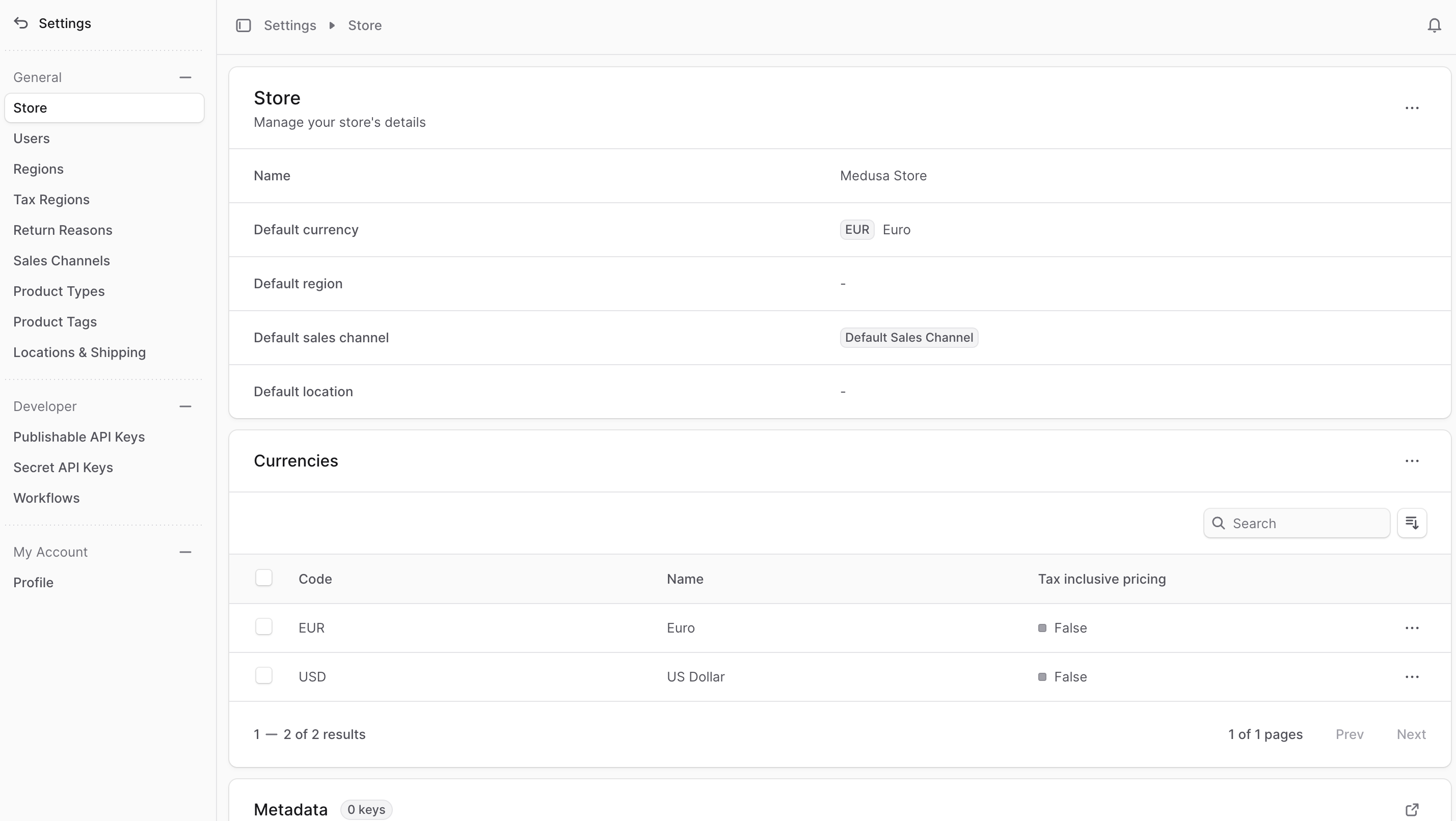
Core Settings Categories
Store Management
- Store Settings - Configure basic store information, currencies, and branding
- Users - Manage admin users, permissions, and access levels
- Manage Invites - Send and track team member invitations
- Profile - Personal account settings and preferences
Geographic & Tax Configuration
- Regions - Set up geographical selling regions with currencies and payment providers
- Tax Regions - Define tax rates and calculations for different regions
Product Organization
- Return Reasons - Create standardized return reasons for better tracking
- Sales Channels - Manage multiple sales channels and product availability
- Product Types - Define product categories for organization and reporting
- Product Tags - Create flexible tagging systems for improved searchability
Location & Shipping
- Manage Locations - Set up warehouse/store locations and inventory management
- Manage Shipping Profiles - Configure shipping options and fulfillment rules
Developer Settings
- Publishable API Keys - Generate client-side integration keys
- Secret API Keys - Create secure server-side authentication keys
- Workflows - Configure and monitor automated workflows
Best Practices
- Regular Review: Periodically review settings to ensure they align with your business needs
- Access Control: Carefully manage user permissions and API key access
- Documentation: Keep track of configuration changes for compliance and troubleshooting
- Testing: Test changes in a development environment before applying to production