

Manage Campaigns in BoxNCase Partners Admin
Learn how to effectively manage promotional campaigns in BoxNCase Partners Admin. Group related promotions together, schedule campaign periods, track overall performance, and coordinate comprehensive marketing efforts.Campaign Benefits
Promotional campaigns provide powerful organization and control:- Group related promotions: Organize multiple promotions under unified marketing themes
- Schedule campaign periods: Set coordinated start and end dates for marketing initiatives
- Track overall performance: Monitor campaign effectiveness and return on investment
- Coordinate marketing efforts: Align promotions with broader marketing strategies and goals
What is a Campaign?
A campaign is a strategic collection of promotions designed to achieve specific marketing or sales objectives. Campaigns provide granular control over promotion usage, allowing you to establish start and end dates, budget limits, and usage constraints. When budget or usage limits are exceeded, all promotions within the campaign automatically expire.View Campaigns
To view the campaigns in your store, go to Promotions -> Campaigns from the sidebar. In the list, you can see campaign details such as the name, description, and identifier. You can also search, filter, and sort the campaigns to find the specific item you are looking for. Find tips to use lists effectively in [this guide](https://docs.BoxNCase Partnersjs.com/tips/lists).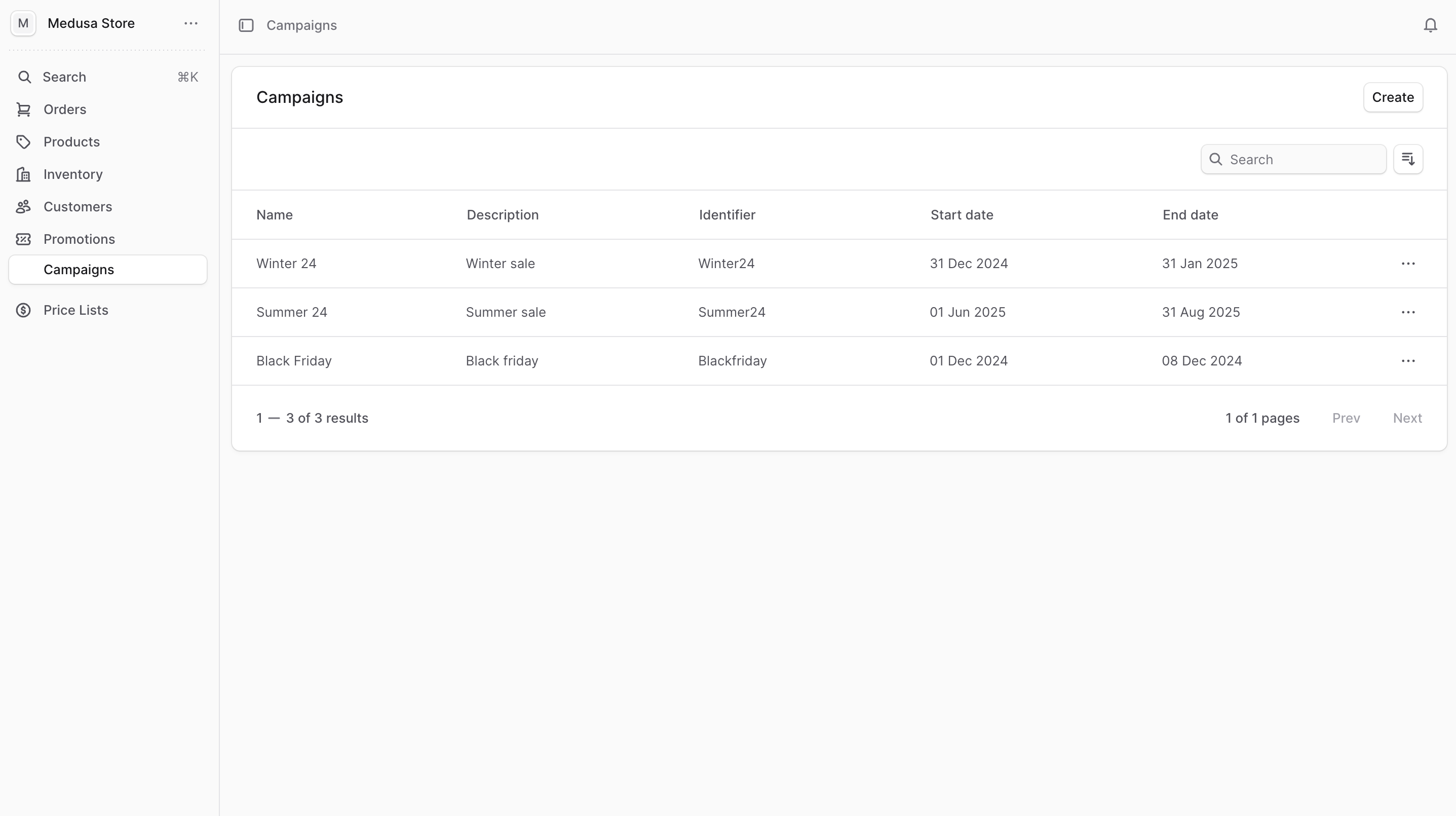
Create Campaign
To create a campaign:- Go to Promotions -> Campaigns from the sidebar.
- Click on the Create button at the top right.
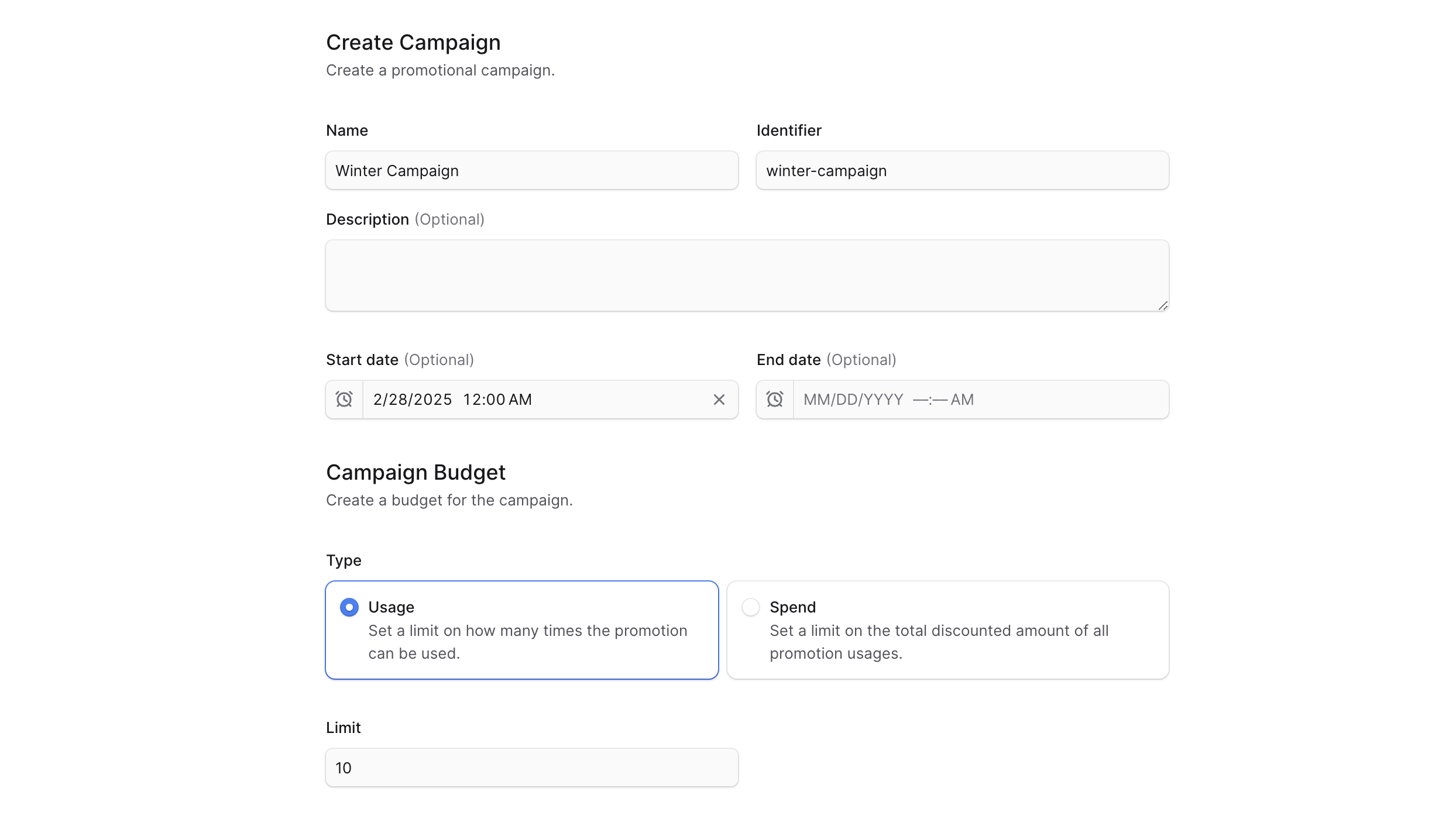
- In the form that opens:
- Enter the campaign’s name and identifier in their respective fields.
- Optionally add a description in the Description field.
- Optionally set a start date in the “Start date” field. Promotions in this campaign can only be used after this date.
- Optionally set an end date in the “End date” field. Promotions in this campaign are expired after this date.
- You can set a campaign budget of the following types:
- Usage: How many times the promotions in the campaign can be used. Once the number of times exceed the limit, the campaign and its promotions expire.
- Spend: The total amount that can be discounted by the promotions in the campaign. Once the total amount discounted exceeds the limit, the campaign and its promotions expire. This is not applicable to “Buy X Get Y” promotions.
- If you chose the Spend type, select the currency of the limit in the “Currency” field.
- When adding promotions to the campaign later, promotions that discount a fixed amount can only be added if the currency matches the campaign budget’s currency.
- In the Limit field, you can set a campaign budget limit based on the type you chose.
- If you chose Usage, enter the number of times the promotions in the campaign can be used.
- If you chose Spend, enter the total amount that can be discounted by the promotions in the campaign.
- Once you’re done, click the Create button.
View Campaign Details
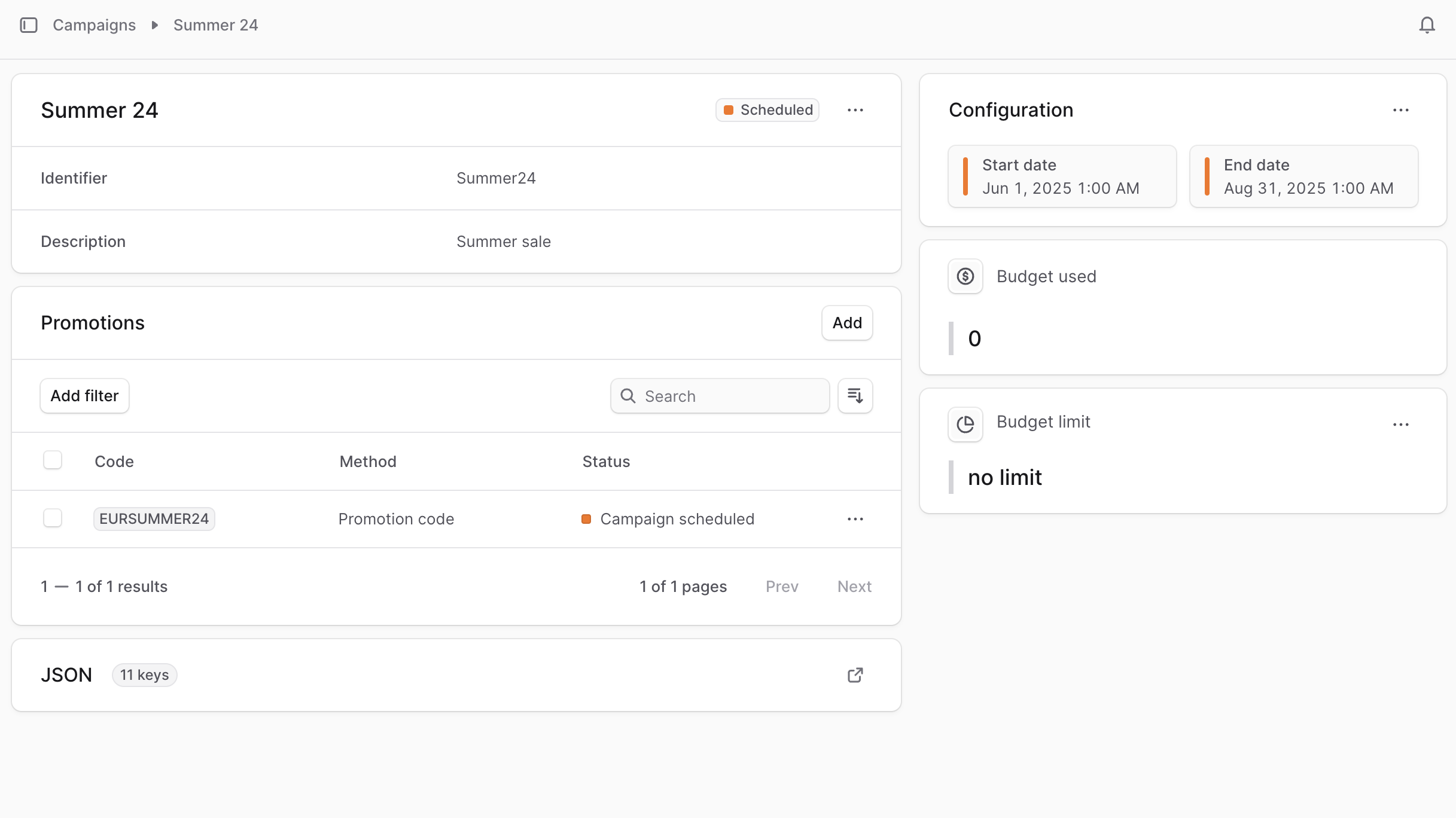
To view the details of a campaign:- Go to Promotions -> Campaigns from the sidebar.
- Click on the campaign you want to view.
Campaign Statuses
At the top right of the first section, you can see the campaign’s status. The status can be one of the following: |Status|Description| |---|---|---| | | | | | |Edit Campaign Details
To edit the details of a campaign:- Go to the campaign’s details page.
- Click the ⋯ icon at the top right of the first section.
- Choose Edit from the dropdown.
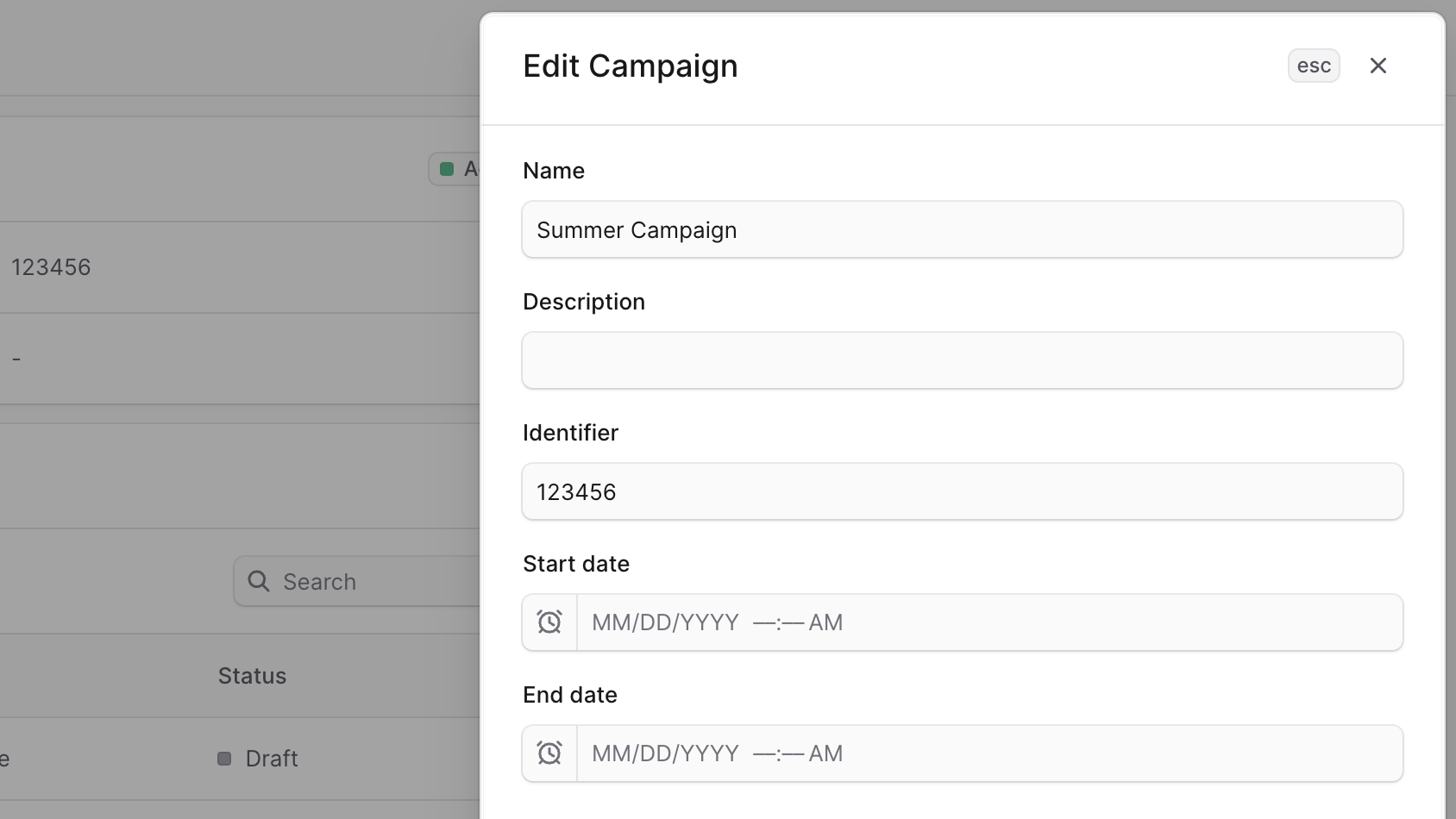
- In the side window that opens, you can edit the campaign’s name, description, identifier, and start and end dates.
- Once you’re done, click the Save button.
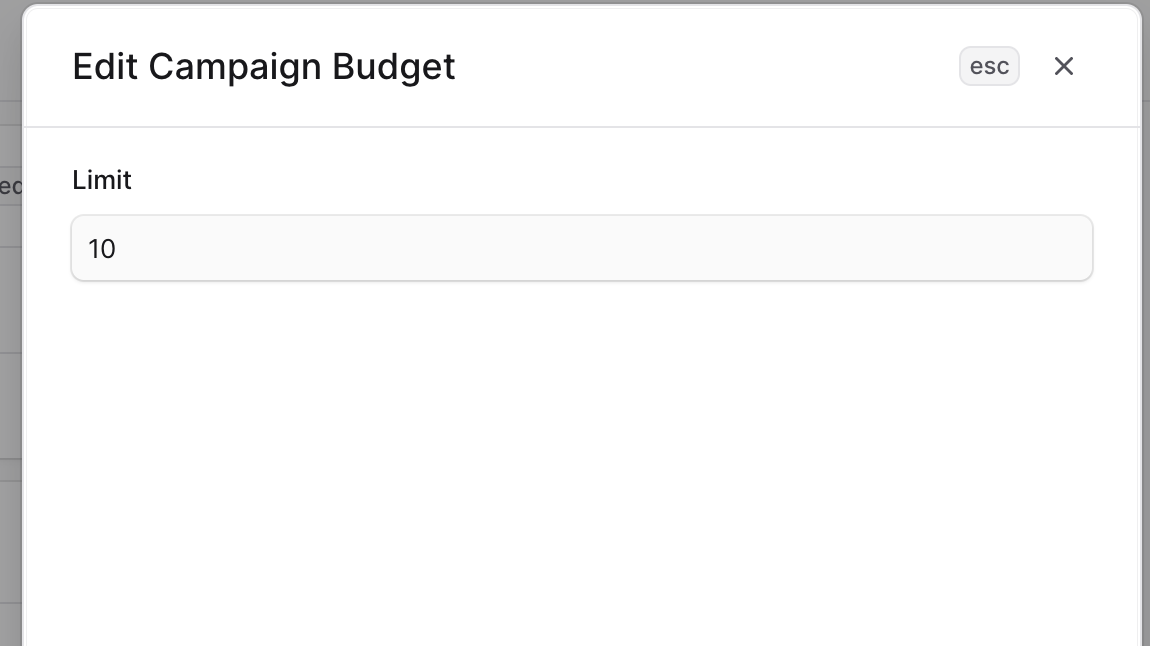
Edit Campaign Budget Limit
To edit a campaign’s budget usage or spending limit:- Go to the campaign’s details page.
- Click the ⋯ icon at the top right of the “Budget Limit” section.
- Choose Edit from the dropdown.
- In the side window that opens, you can edit the budget limit.
- Once you’re done, click the Save button.
Manage Promotions of Campaign
From the campaign’s details page, you can manage which promotions belong to the campaign.Add Promotions to Campaign
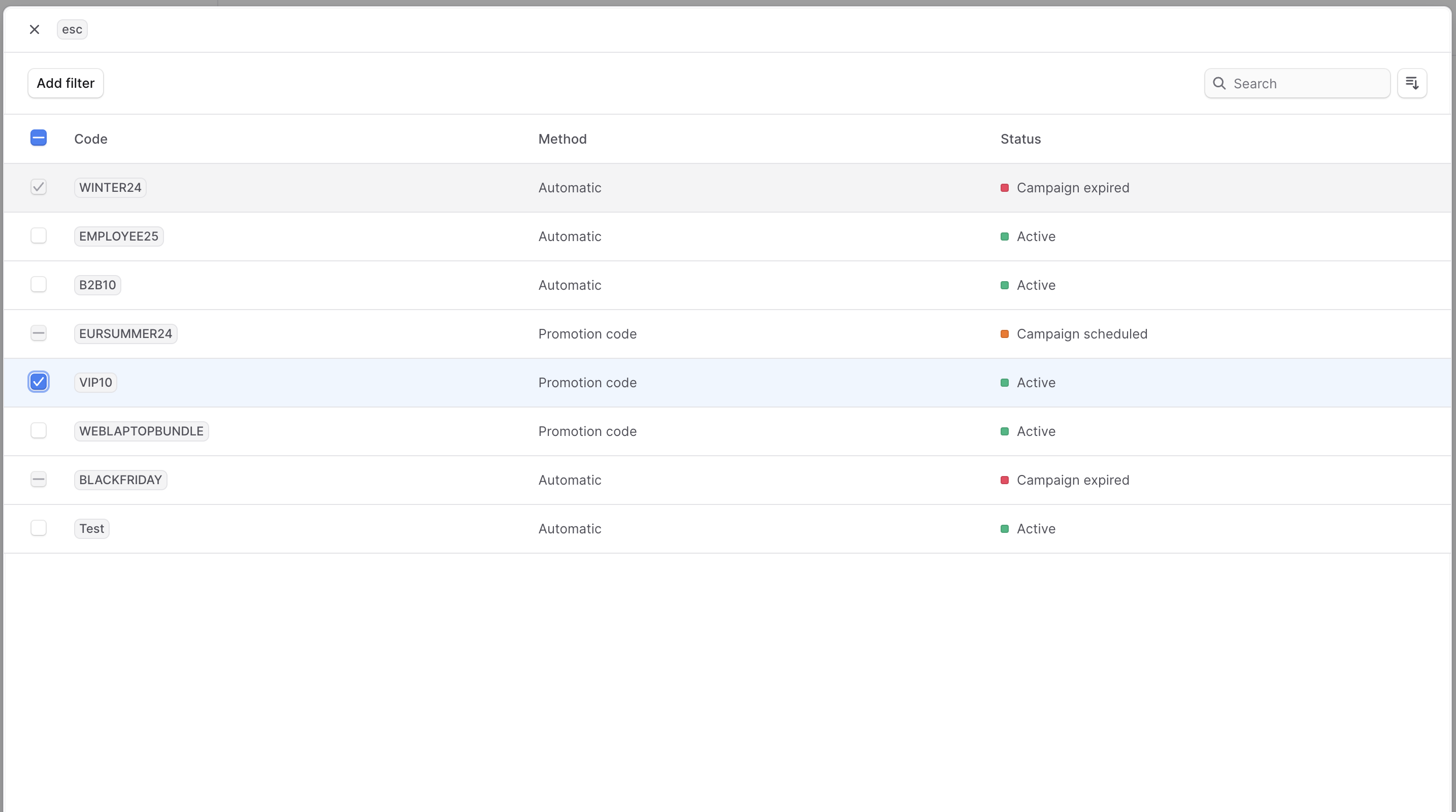
To add promotions to a campaign: You can only add promotions that don’t belong to another campaign.- Go to the campaign’s details page.
- Click on the Add button at the top right of the “Promotions” section.
- In the list that opens, check the promotions you want to add to the campaign.
- Once you’re done, click the Save button.
Remove Promotions from Campaign
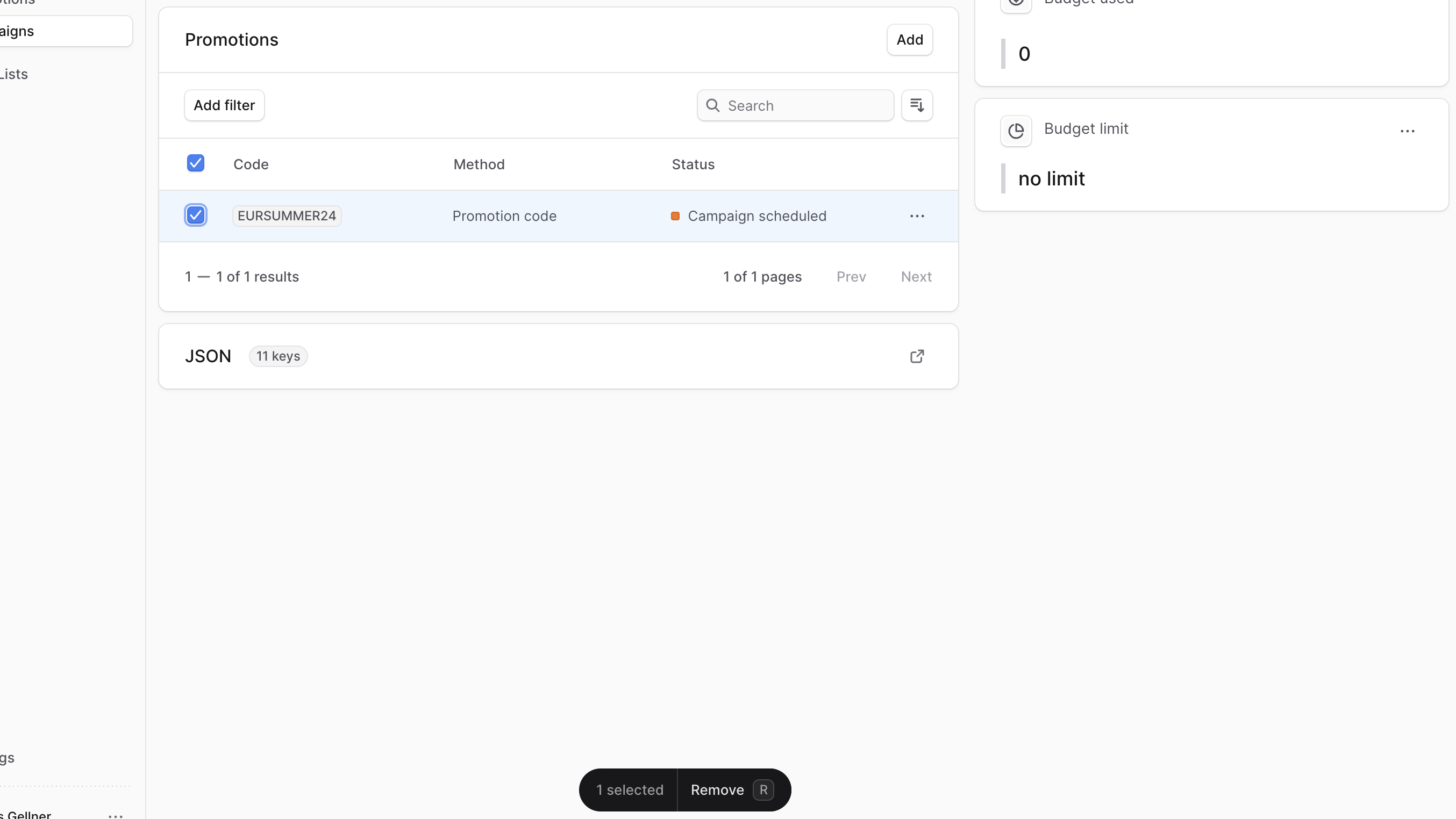
To remove promotions from a campaign:- Go to the campaign’s details page.
- In the “Promotions” section, check the promotions you want to remove from the campaign.
- Once you’re done, either press
Ror click the Remove button at the bottom center of the page. - Confirm removing the promotion from the campaign by clicking the “Continue” button in the pop-up.
Delete Campaign
Deleting a campaign is irreversible. Deleting a campaign doesn’t delete its promotions. To delete a campaign:- Go to the campaign’s details page.
- Click the ⋯ icon at the top right of the first section.
- Choose Delete from the dropdown.
- Confirm deleting the campaign by clicking the “Delete” button in the pop-up.