

Promotions Overview in BoxNCase Partners Admin
The Promotions system in BoxNCase Partners enables you to create and manage comprehensive promotional campaigns with various discount types. Target specific products, collections, or customer groups while setting detailed conditions and rules to maximize your marketing effectiveness.Promotion Types
BoxNCase Partners supports multiple discount types to meet diverse marketing needs:Percentage Discounts
- Percentage off products: Apply percentage discounts to specific products or categories
- Percentage off orders: Apply percentage discounts to entire order totals
- Flexible targeting with product and customer conditions
Fixed Amount Discounts
- Fixed amount off products: Apply specific dollar amounts off targeted products
- Fixed amount off orders: Apply fixed discounts to order totals
- Currency-specific pricing for international stores
Buy X Get Y Promotions
- BOGO offers: Buy 3 shirts, get 1 free
- Volume incentives: Purchase thresholds that unlock free items
- Cross-selling opportunities: Buy from one category, get free items from another
Free Shipping
- Order threshold: Free shipping over specific amounts
- Customer group benefits: Free shipping for VIP or wholesale customers
- Geographic targeting: Free shipping for specific regions
Advanced Targeting
Product Targeting
Target promotions to specific inventory:- Individual products: Apply to specific SKUs or variants
- Product collections: Target entire product lines or seasonal collections
- Categories: Apply to product categories (apparel, electronics, etc.)
- Product tags: Use tags for flexible product groupings
Customer Segmentation
Create targeted promotions for specific audiences:- Customer groups: VIP, wholesale, retail customer segments
- Geographic targeting: Region, country, or sales channel specific offers
- Purchase behavior: Target based on order history and customer value
Conditional Logic
Set sophisticated conditions and rules:- Minimum order values: Require specific purchase amounts
- Quantity thresholds: Minimum item quantities to trigger promotions
- Date ranges: Schedule promotions for specific time periods
- Usage limits: Control how many times promotions can be used
Campaign Management
Promotional Campaigns
- Group related promotions: Organize promotions under marketing campaigns
- Schedule campaign periods: Set start and end dates for coordinated marketing
- Track overall performance: Monitor campaign effectiveness and ROI
- Coordinate marketing efforts: Align promotions with marketing initiatives
Budget Controls
- Usage limits: Set maximum number of promotion uses
- Spending caps: Control total discount amounts
- Campaign budgets: Manage overall campaign spending
- Automatic expiration: Campaigns end when budgets are reached
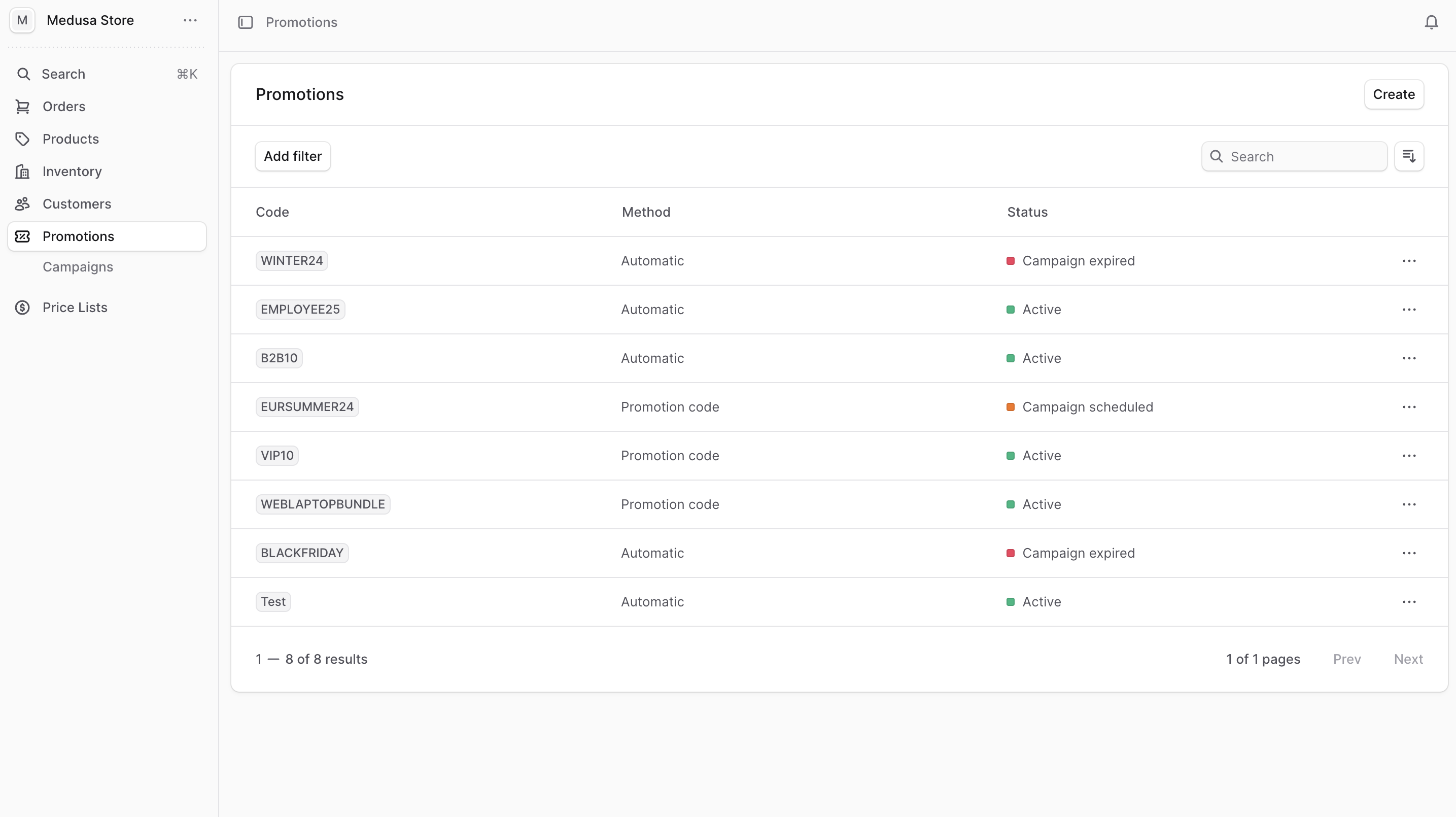
Quick Actions
Promotion Management
- Create Promotion - Choose promotion type, set discount value, and configure conditions
- Manage Promotion - Edit promotion details, enable/disable, and track usage statistics
- Manage Campaigns - Group related promotions and schedule campaign periods
Getting Started
- Choose Promotion Type: Select from percentage, fixed amount, BOGO, or free shipping
- Set Target Audience: Define customer groups and geographic targeting
- Configure Products: Specify which products or categories to include
- Set Conditions: Add purchase thresholds, quantity requirements, and usage limits
- Schedule Campaign: Set start/end dates and budget controls
Promotion Examples
Seasonal Sale Campaign
- 20% off all winter clothing
- Valid for VIP customers only
- Minimum order $100
- Limited to 500 uses
Customer Acquisition
- $10 off first order
- New customers only
- Valid on orders over $50
- Free shipping included
Inventory Clearance
- Buy 2 get 1 free
- Specific product collection
- Limited time offer
- Clear excess inventory