

Orders Overview
The Orders domain is where you’ll manage all the orders in your store coming through different channels. You can view an order’s information, capture payment, create shipments and fulfillments, register returns or exchanges of the order, and more.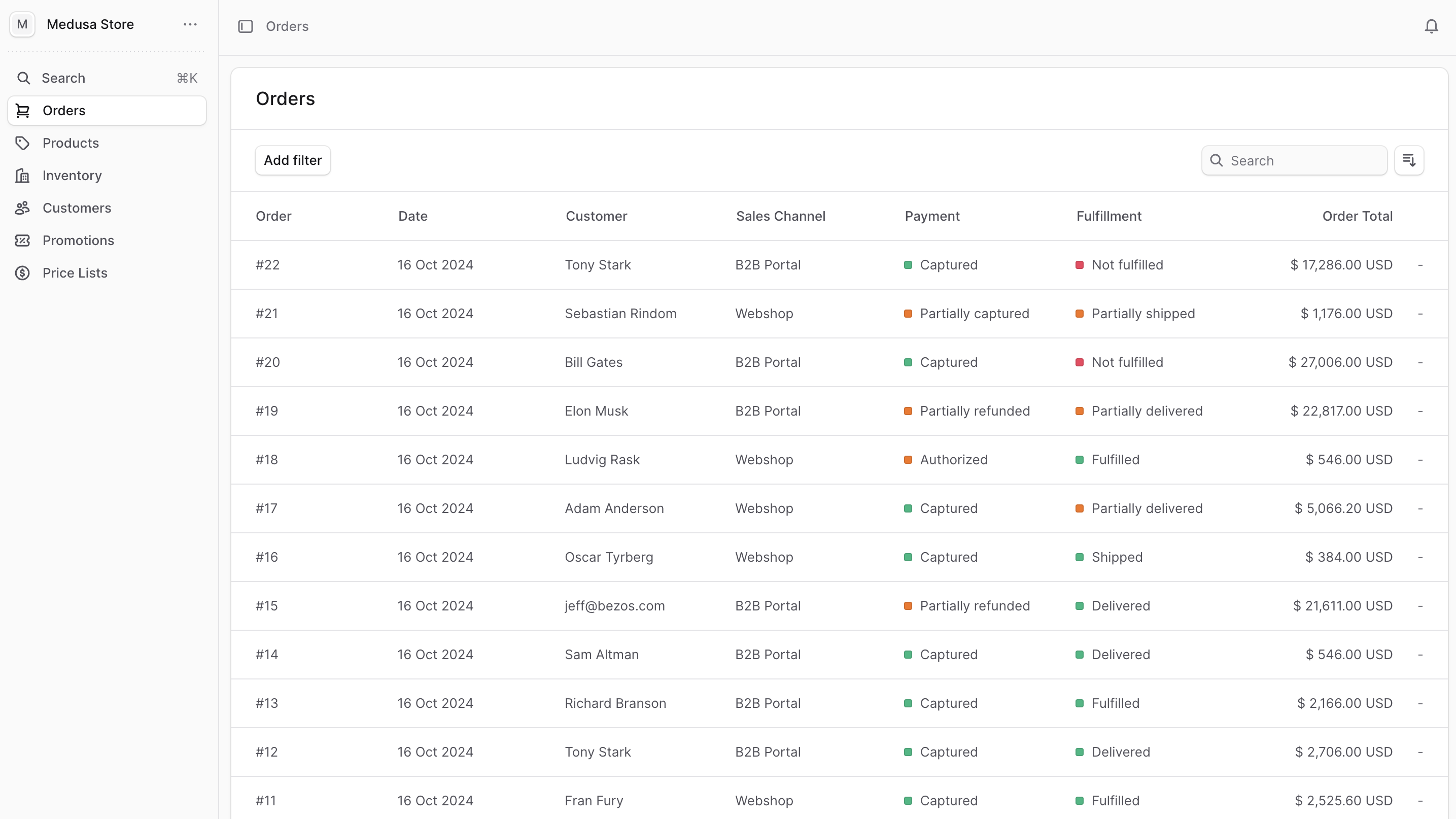
Accessing Orders
You can view the list of available orders in your commerce store by clicking on Orders from the sidebar menu.Order Information
In the order list, you can see key details for each order:- Order ID: Unique identifier for the order
- Date: When the order was placed
- Customer: Customer name and email
- Sales Channel: Where the order originated from
- Fulfillment Status: Current fulfillment state
- Payment Status: Current payment state
- Total Amount: Order total in the selected currency
Managing Your Orders
You can search, filter, and sort the orders to find specific orders quickly. Common filters include:- Date range
- Order status
- Fulfillment status
- Payment status
- Sales channel
Key Order Management Features
From the Orders domain, you can:- Capture Payments: Process authorized payments
- Create Shipments: Generate shipping labels and tracking
- Manage Fulfillments: Track and update delivery status
- Register Returns: Process customer returns and refunds
- Process Exchanges: Handle product exchanges
- Handle Claims: Manage issues with faulty or incorrect items
Order Workflow
A typical order flows through these stages:- Placed: Customer completes checkout
- Payment Authorized: Payment method is verified
- Payment Captured: Funds are collected
- Fulfillment Created: Items are prepared for shipping
- Shipped: Items are dispatched to customer
- Delivered: Customer receives the order
- Completed: Order is finalized
Quick Actions
From the order list, you can:- Click on any order to view its details
- Use the search bar to find orders by ID, customer name, or email
- Apply filters to narrow down your view
- Export order data for reporting