

Secret API Keys in BoxNCase Admin
Secure your BoxNCase store’s server-side integrations with properly managed secret API keys. Create authentication tokens for admin operations, manage comprehensive access permissions, and maintain security through proper key lifecycle management.Overview
Secret API keys provide:- Full admin API access and permissions
- Server-side authentication for secure operations
- Comprehensive data and functionality access
- User-specific key generation and management
- Advanced security and audit capabilities
What is a Secret API Key?
Secret API Key Security: Secret keys provide full administrative access and require strict security measures: Key Characteristics:- Complete admin API access with full permissions
- Server-side only usage - never expose in client code
- User-specific generation tied to admin accounts
- Sensitive operations and data manipulation capabilities
- Audit trail linking actions to specific users
- Never include in client-side code or repositories
- Store securely in server environment variables
- Implement proper access controls and monitoring
- Regular rotation for enhanced security
- Immediate revocation if compromise suspected
- Hardcoding keys in source code
- Committing keys to version control
- Sharing keys via email or chat
- Using keys in client-side applications
- Insufficient access logging and monitoring
View Secret API Keys
To view the secret API keys of the currently logged-in user in the BoxNCase Partners Admin, go to Settings -> Secret API Keys. Here, you can see a list of all the secret API keys for the logged-in user. You can also search, filter, and sort the API keys to find the one you are looking for.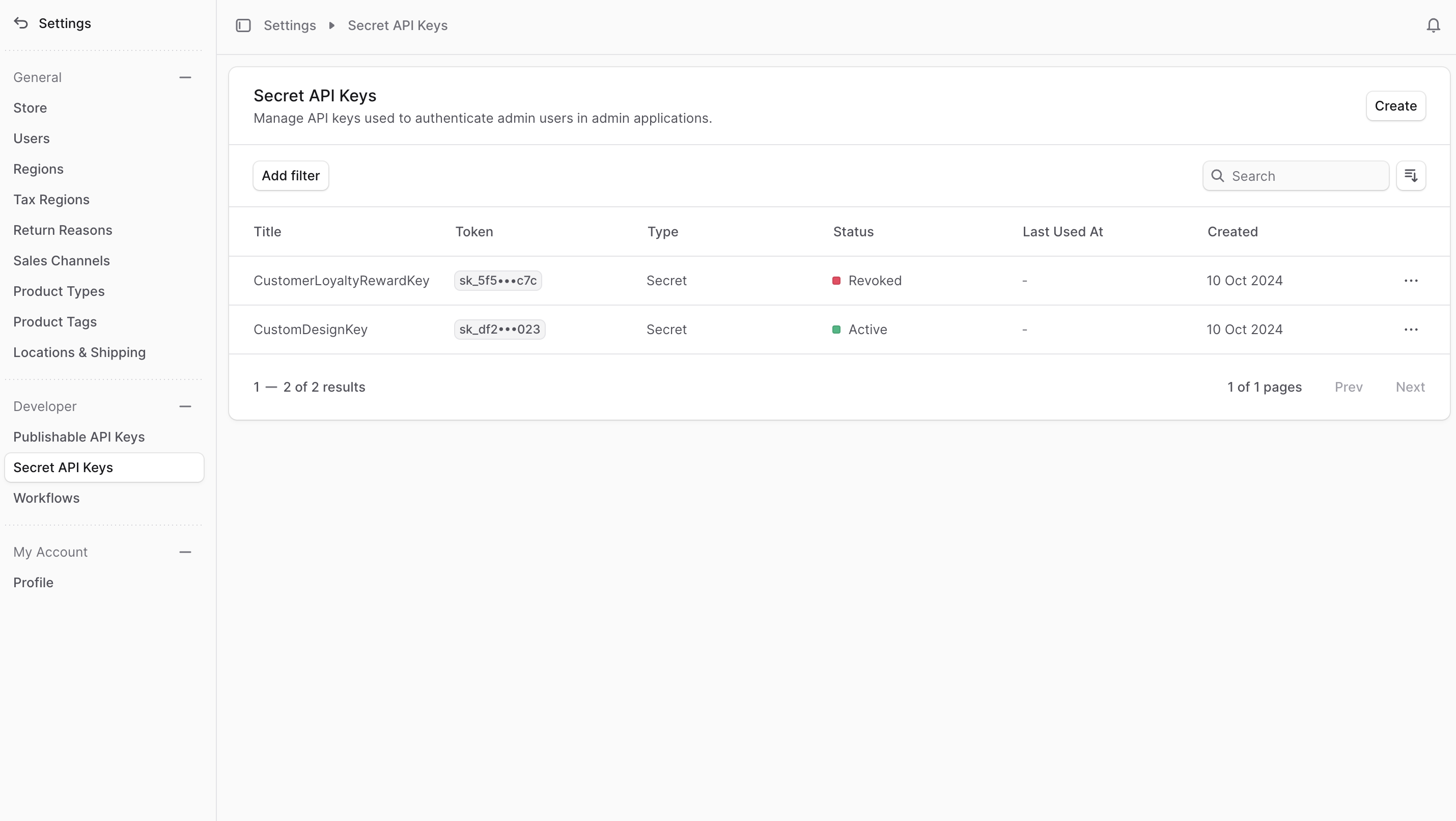
Create Secret API Key
Key Generation Policy: Secret API key creation follows strict security policies: User-Specific Generation:- Keys are tied to the currently logged-in user account
- One active secret key per user maximum
- Direct correlation between user permissions and key access
- Audit trail maintained for all key-based actions
- Existing active keys must be revoked before creating new ones
- Immediate key display upon creation (one-time only)
- Secure storage responsibility transferred to user
- No key recovery option - revoke and recreate if lost
- Prevents key proliferation and management confusion
- Clear accountability for API actions
- Simplified key rotation processes
- Reduced attack surface through limitation
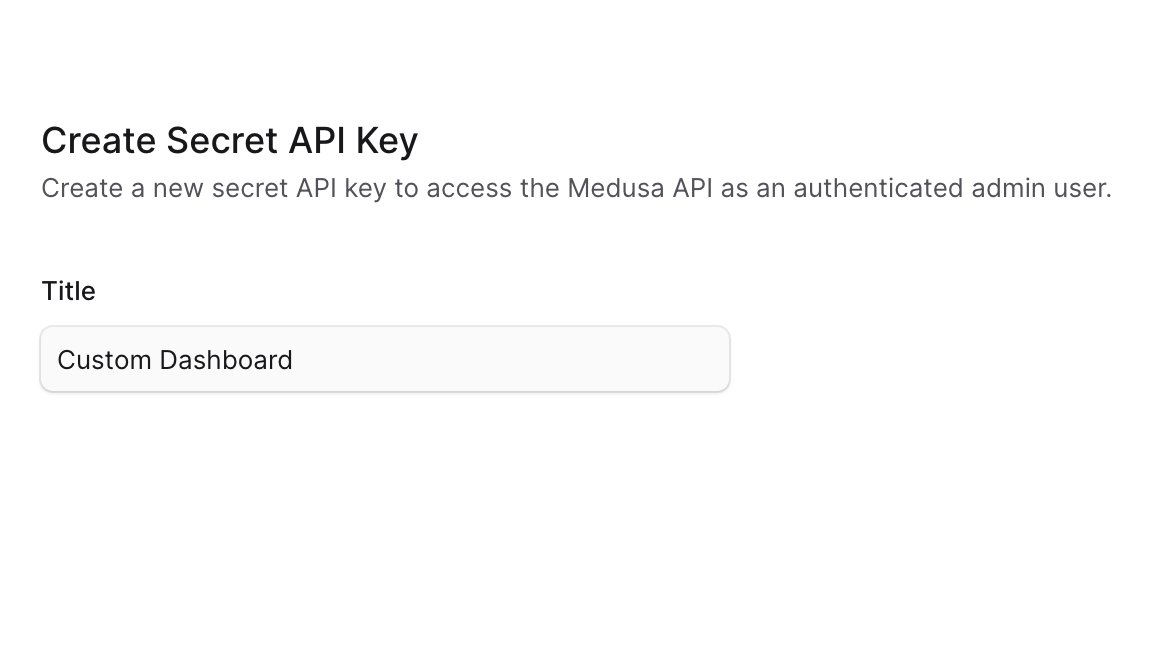
- Go to Settings -> Secret API Keys.
- Click the Create button at the top right.
- In the form that opens, enter the secret API key’s title.
- Once you’re done, click the Save button.
- You’ll get a pop-up with the secret API key. Copy it and store it securely before closing the pop-up, as you won’t be able to see it again.
View Secret API Key Details
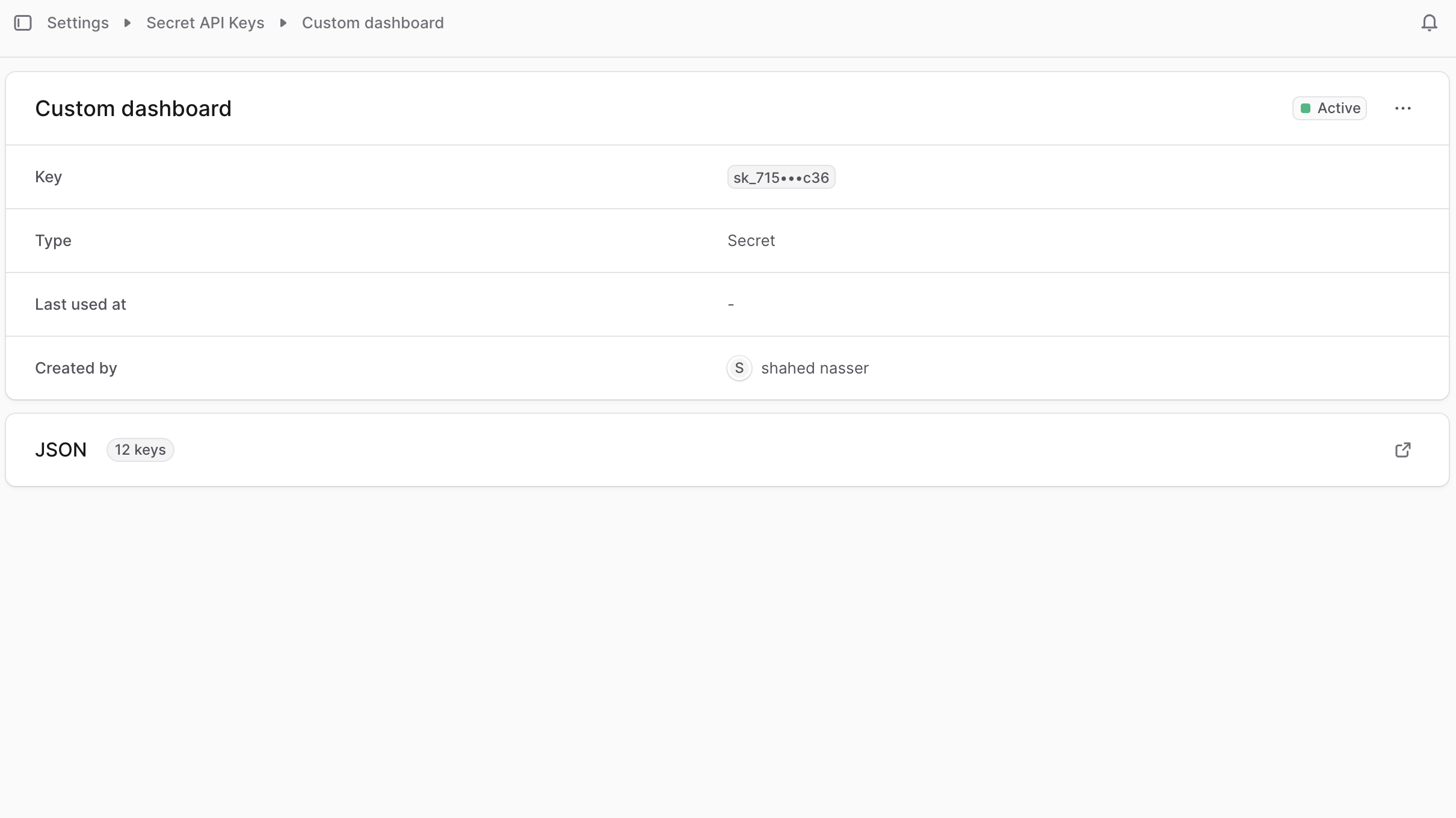
To view the details of a secret API key:- Go to Settings -> Secret API Keys.
- Click on a secret API key from the list.
Secret API Key Status
You can see the status of the secret API key at the top right of the first section in the details page. A secret API key’s status can be:| Status | Description |
|---|---|
| Active | Key is valid and provides full admin API access |
| Revoked | Key has been permanently disabled for security |
| Expired | Key validity period has ended and requires renewal |
Edit Secret API Key
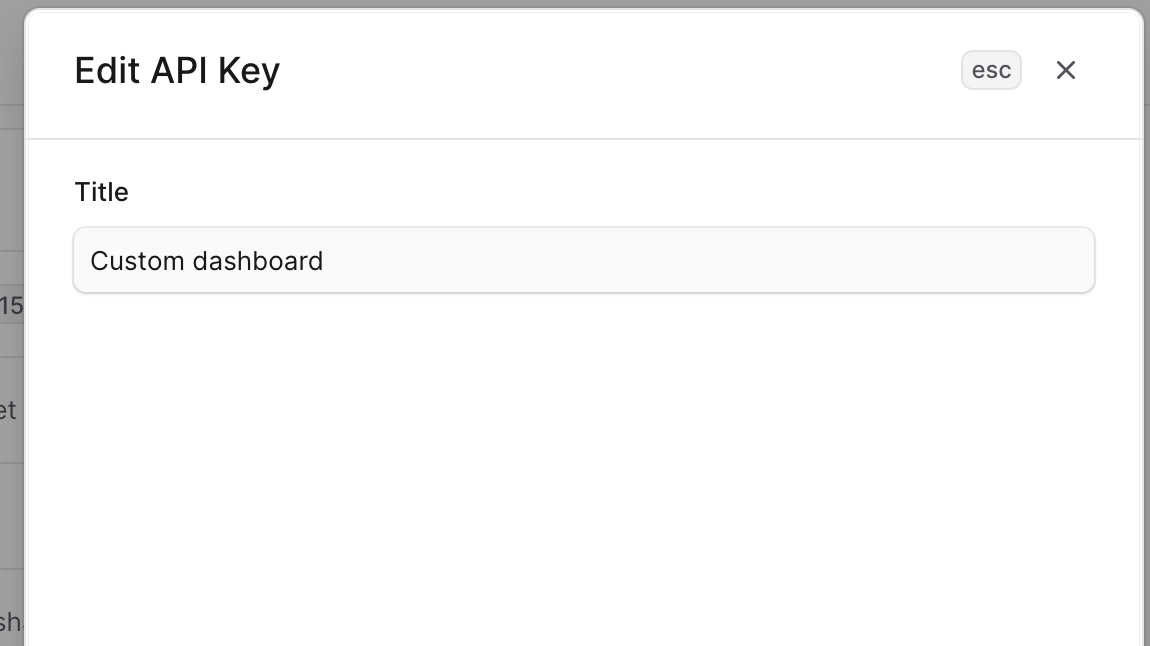
To edit a secret API key:- Go to the secret API key’s details page.
- Click the ⋯ at the top right of the first section.
- Choose “Edit” from the dropdown.
- In the side window that opens, you can edit the secret API key’s title.
- Once you’re done, click the Save button.
Revoke Secret API Key
Revoking a secret API key is irreversible. You can’t use the key in requests after revoking it or reactivate it. To revoke a secret API key:- Go to the secret API key’s details page.
- Click the ⋯ at the top right of the first section.
- Choose “Revoke API key” from the dropdown.
- Confirm revoking the API key by clicking the “Revoke API key” button in the pop-up.
Delete Secret API Key
Deleting a secret API key is irreversible. You can only delete a secret API key after revoking it. To delete a secret API key:- Go to the secret API key’s details page.
- Click the ⋯ at the top right of the first section.
- Choose “Delete” from the dropdown.
- Confirm deleting the API key by clicking the Delete button in the pop-up.f